Today, I dipped my toes into the vast ocean of AI – specifically diffusion models. And let’s just say, I barely stayed afloat. My journey started with high hopes, trying to install and run black-forest-labs/FLUX.1-dev on my Mac mini. It ended with me questioning all my life choices (okay, maybe just my installation skills). But hey, failure is just part of learning, right?
Wrestling with FLUX.1-dev
I followed what seemed like a straightforward approach: install the necessary Python dependencies, make sure torch is in place, and then attempt to run the following code:
from diffusers import DiffusionPipeline

pipe = DiffusionPipeline.from_pretrained("black-forest-labs/FLUX.1-dev")

prompt = "Astronaut in a jungle, cold color palette, muted colors, detailed, 8k"
image = pipe(prompt).images[0]
Simple enough, right? Nope. My terminal quickly became a wall of errors, and two hours of debugging later, I still didn’t have a generated image. I tried different approach, reinstalled dependencies, questioned my existence, but nothing worked.
ComfyUI to My Rescue
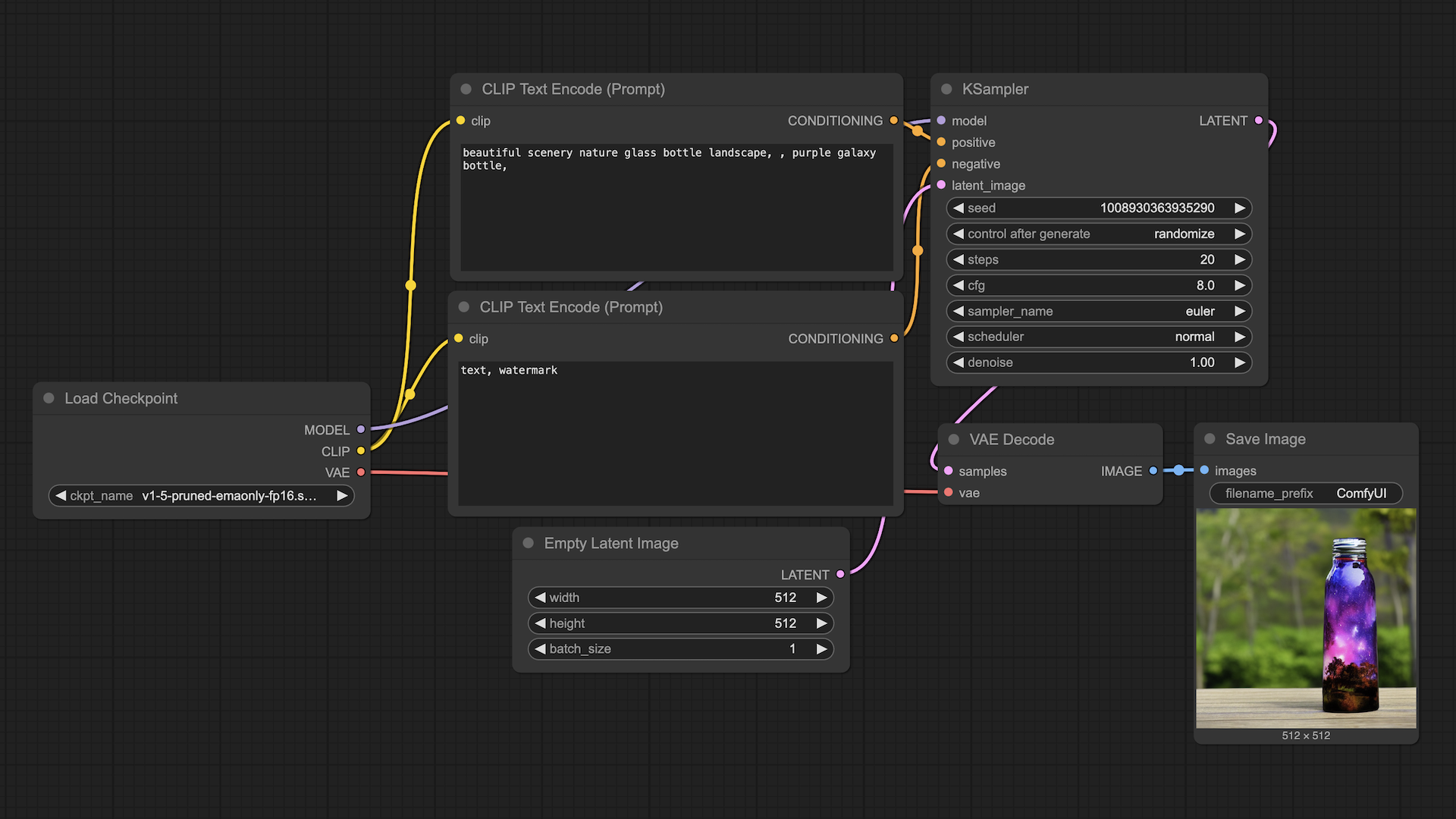
Feeling slightly defeated, I switched gears and decided to try ComfyUI. Unlike my battle with running a diffusion model in Python, this was a breath of fresh air. Within minutes, I had a basic image generation model up and running. No mysterious package errors. No broken dependencies. Just a simple, clean UI where I could drag and drop elements to generate AI images.
Comparing the two experiences:
- Running code manually felt like trying to assemble IKEA furniture without a manual.
- ComfyUI was like having a pre-built chair delivered to my door.
While I still want to learn how to run these models with code, ComfyUI showed me that there’s a much easier way to get started.
New AI Terms I Learned
Along the way, I came across some AI terms that were completely new to me:
- Diffusion Model – A type of generative model that iteratively refines an image from noise.
- FLUX – The model I attempted (and failed) to run. Still need to figure out what makes it unique.
- LoRA (Low-Rank Adaptation) – A method for fine-tuning AI models with fewer resources.
- Checkpoints – Pre-trained model weights that store knowledge and can be loaded to continue training or generating content.
- Safetensor – A safer format for storing model weights compared to standard PyTorch
.ptfiles.
I’m still wrapping my head around these, but at least now I have a basic understanding.
What’s Next?
Even though I stumbled today, I’m excited to keep going. Next on my list:
- Learning how to fine-tune a large model using LoRA for a specific task.
- Understanding how to reduce the size of large language models while keeping them useful.
If today taught me anything, it’s that AI is a massive field, and I’m just getting started. But that’s okay. Even if I’m just an ant carrying a tiny grain of sand in the vast AI Sahara desert, every step forward is still progress.
Here’s to more learning, more failures, and eventually, more wins!
